The assistant (optional)
Suggestions as cards you choose from. Off until you say so.
Ask in plain words: “make Nora more sarcastic”, “tighten this scene”, “what does Inés want from Nora?”. Every change comes back as a card showing exactly what would change. Tick the parts you want, apply, and revert whenever you like. It stays off until you agree, per project and per device.
What it does
- Reads your bible, characters, outline and newest drafts to answer
- Suggests character, scene, beat and script edits as cards; you pick the parts to apply
- Every applied change is labelled “assistant” in the history and can be reverted
- Never edits locked or older drafts; notes still with a reader are never sent
How to use it
- ✦ Assistant in the top bar → agree once for this project
- Ask; review the card; tick parts; Apply
- Revert any time
Step by step
Screenshots of the app, on the sample series. Click one to see it full size.
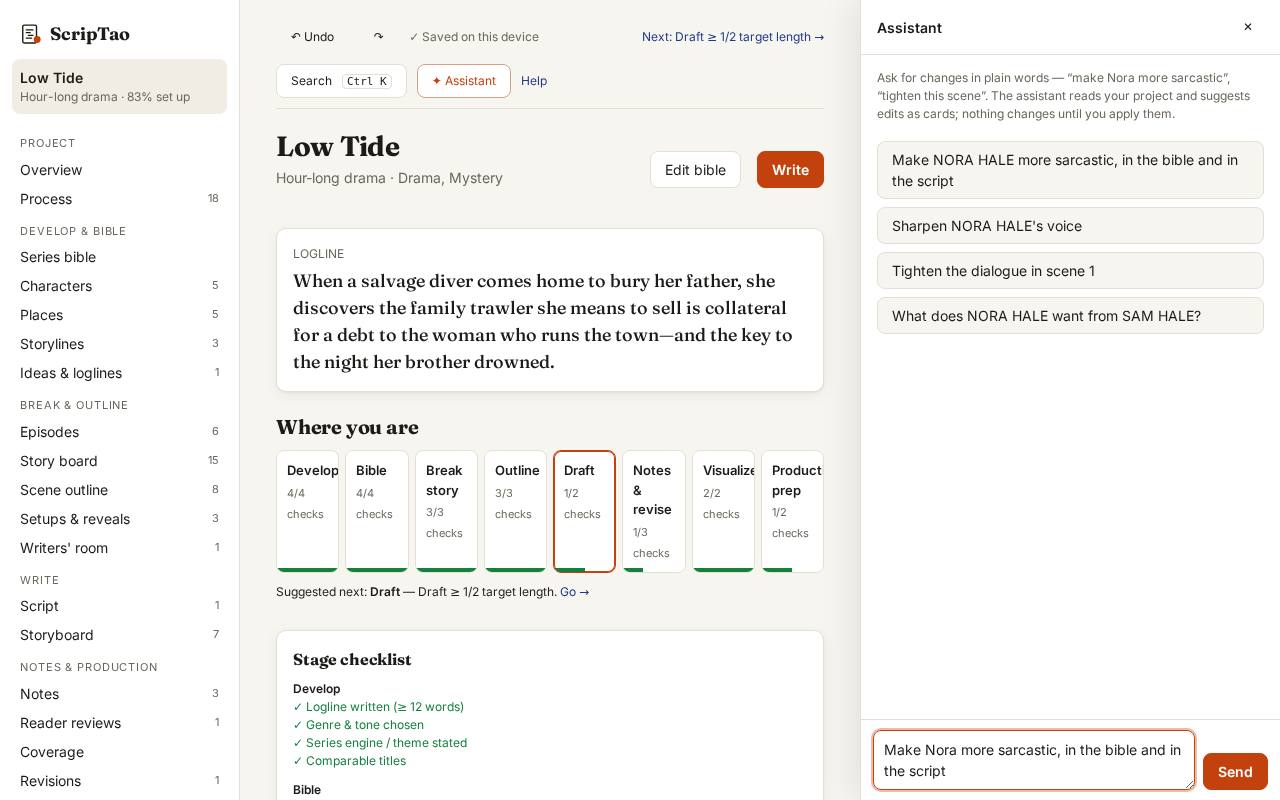
Open the assistant and ask in plain words. It is optional and off until you ask. 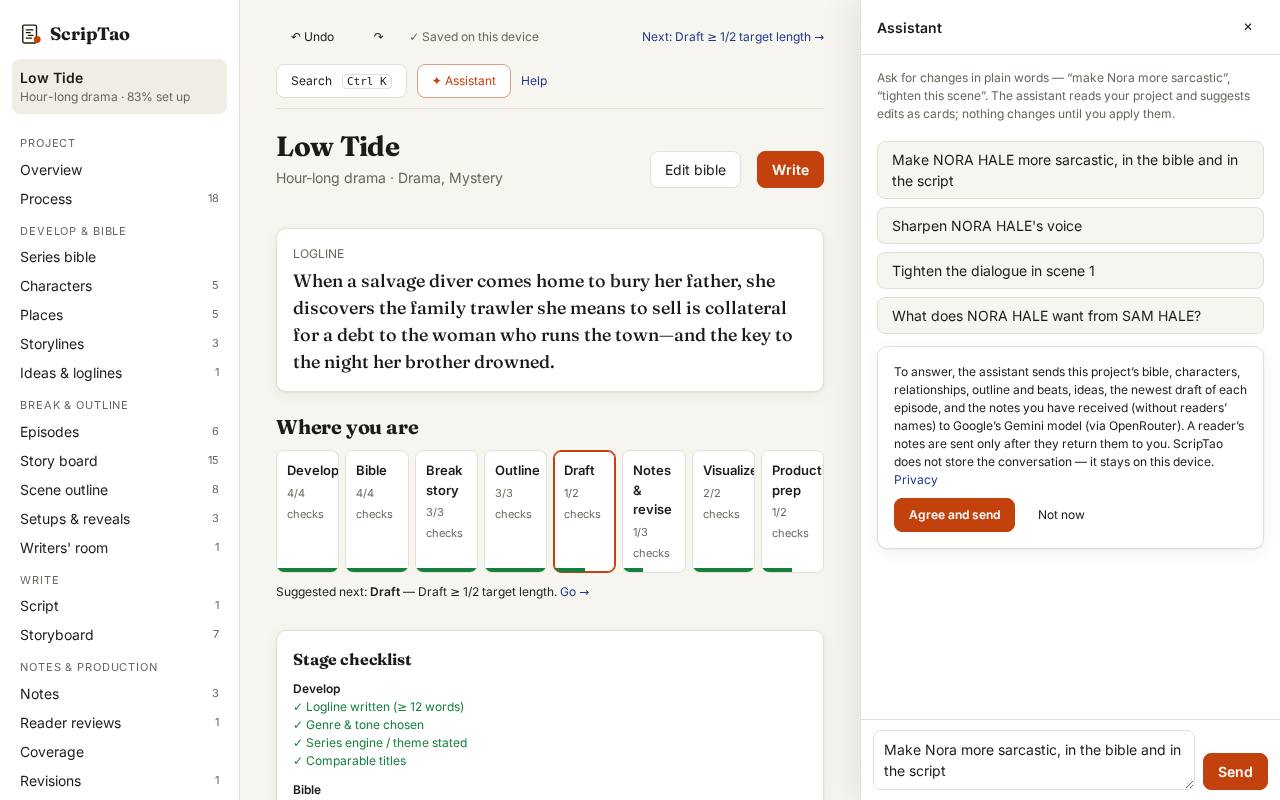
The first time in a project it says what is sent, and where, before anything leaves the browser. 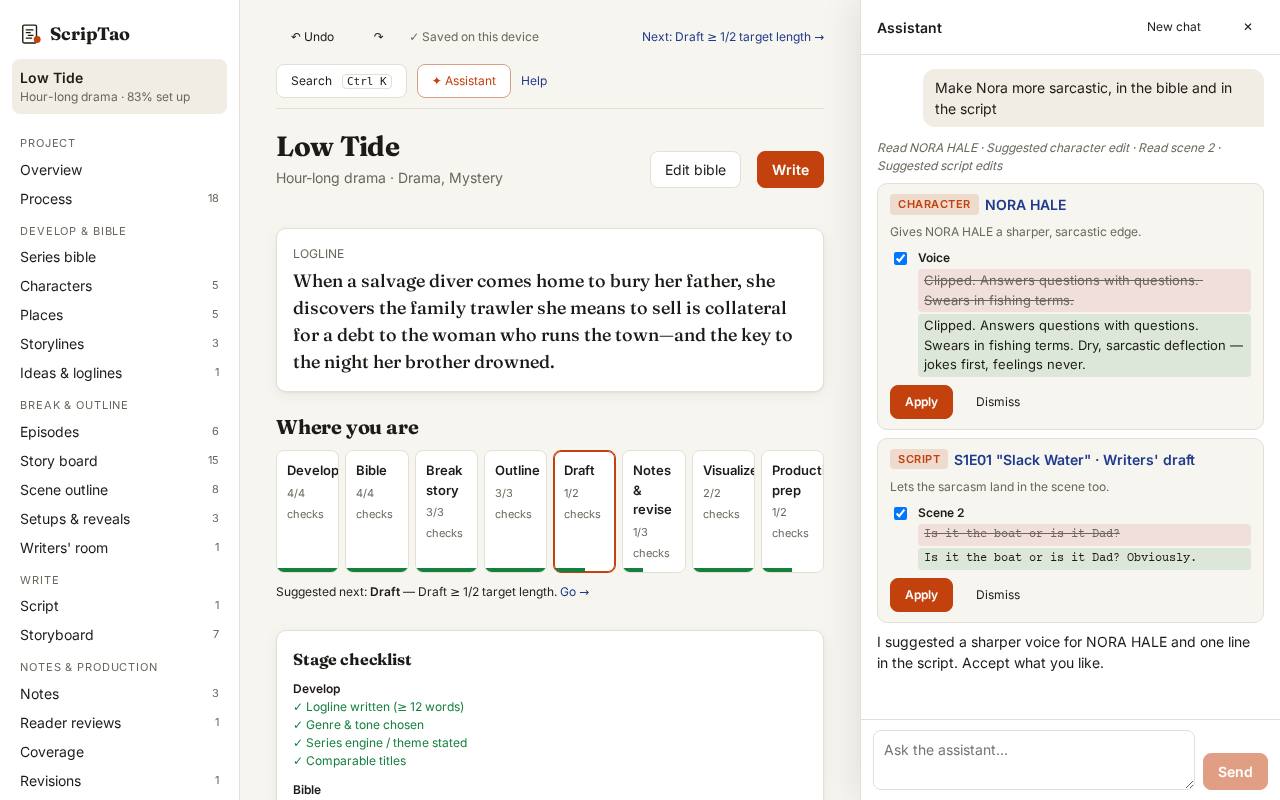
It answers with suggestion cards: what it read, and each change it proposes. Nothing changes until you apply it. 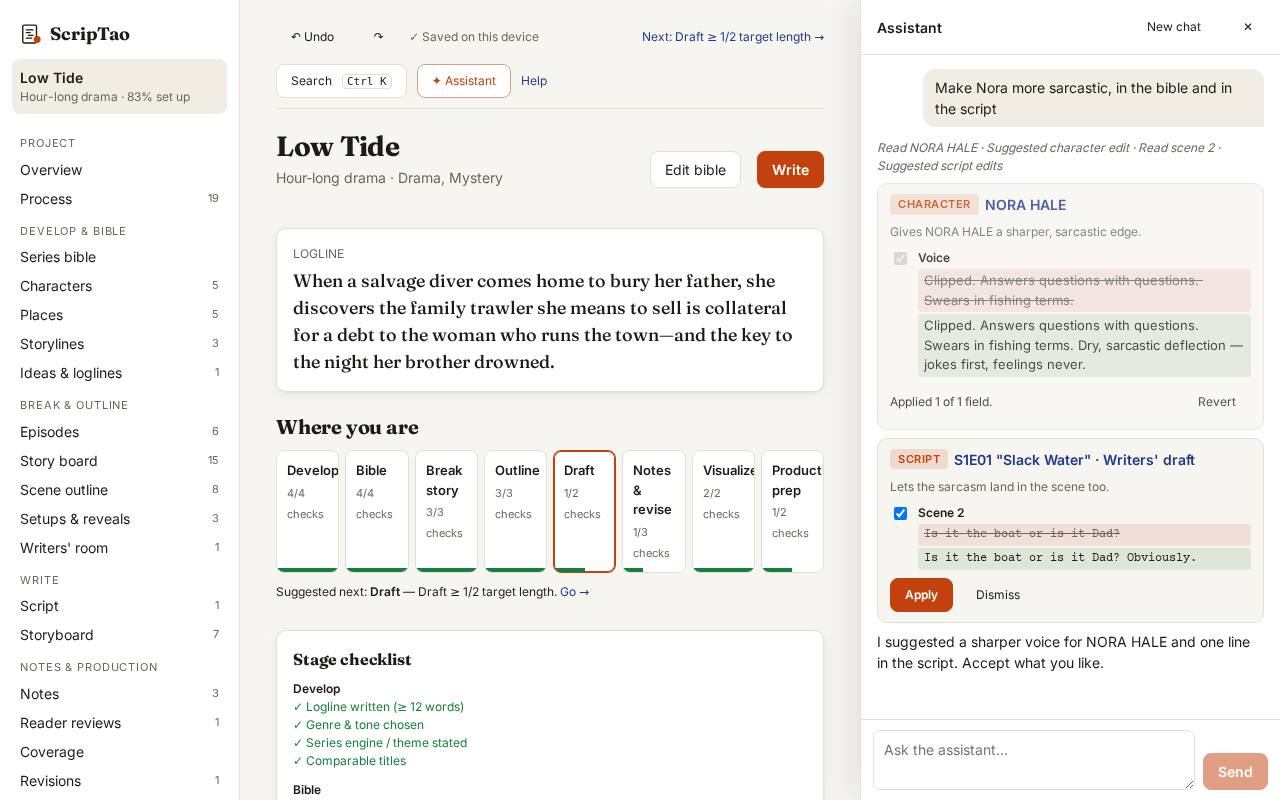
Tick the parts you want and Apply. Revert on the card (or Undo) takes it back.
What it doesn't do yet
- There's a daily message limit.