Breakdown & reports
The numbers a producer asks for, without a spreadsheet.
Breakdown lists cast by episode, sets and a one-liner schedule. Reports show speaking parts, pairings, places and scene lengths per episode, including names that speak in the script but aren't in the bible.
What it does
- Cast-by-episode grid, sets, one-liner
- Speaking parts, character pairings, places and scene lengths per episode
- Flags speakers who aren't in the bible
How to use it
- Breakdown for prep; Reports to check balance
- Pick an episode in Reports
Step by step
Screenshots of the app, on the sample series. Click one to see it full size.
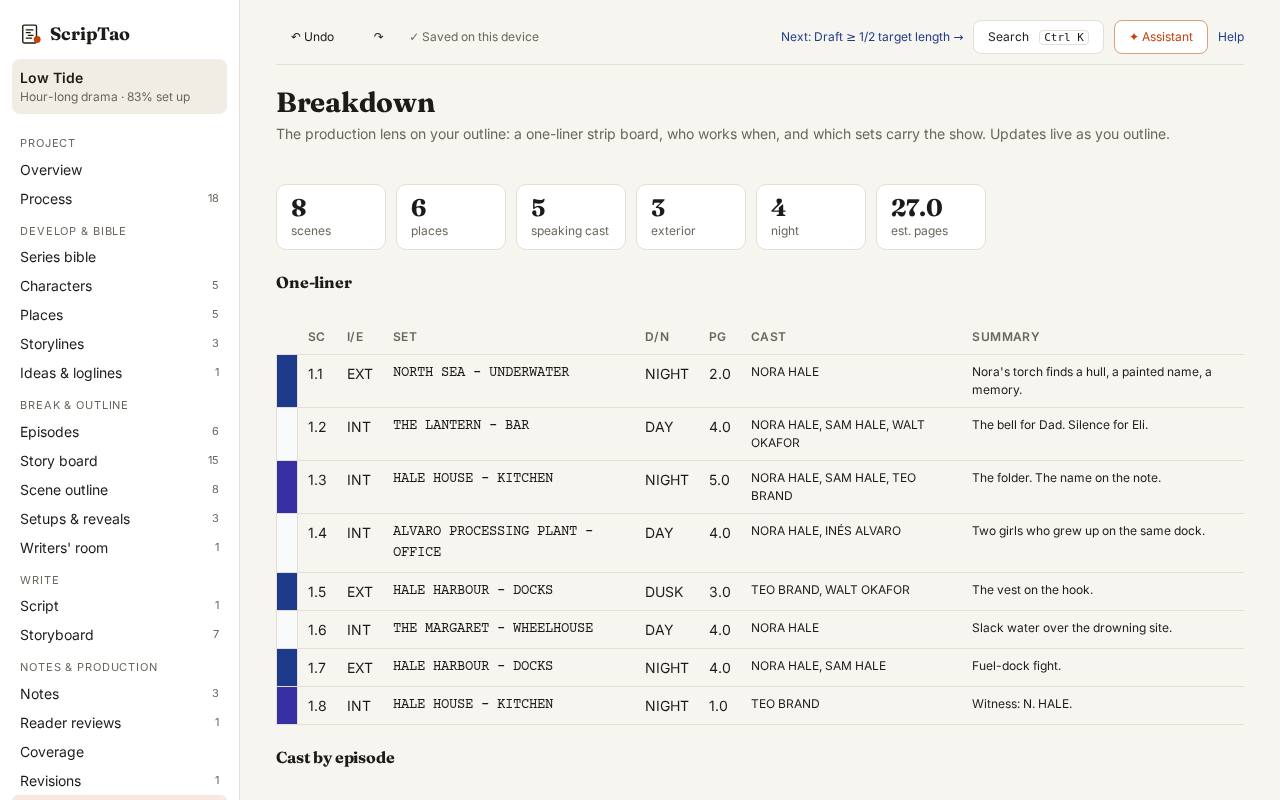
Breakdown: the cast-by-scene grid and one-liner schedule for prep, built from the outline and script. 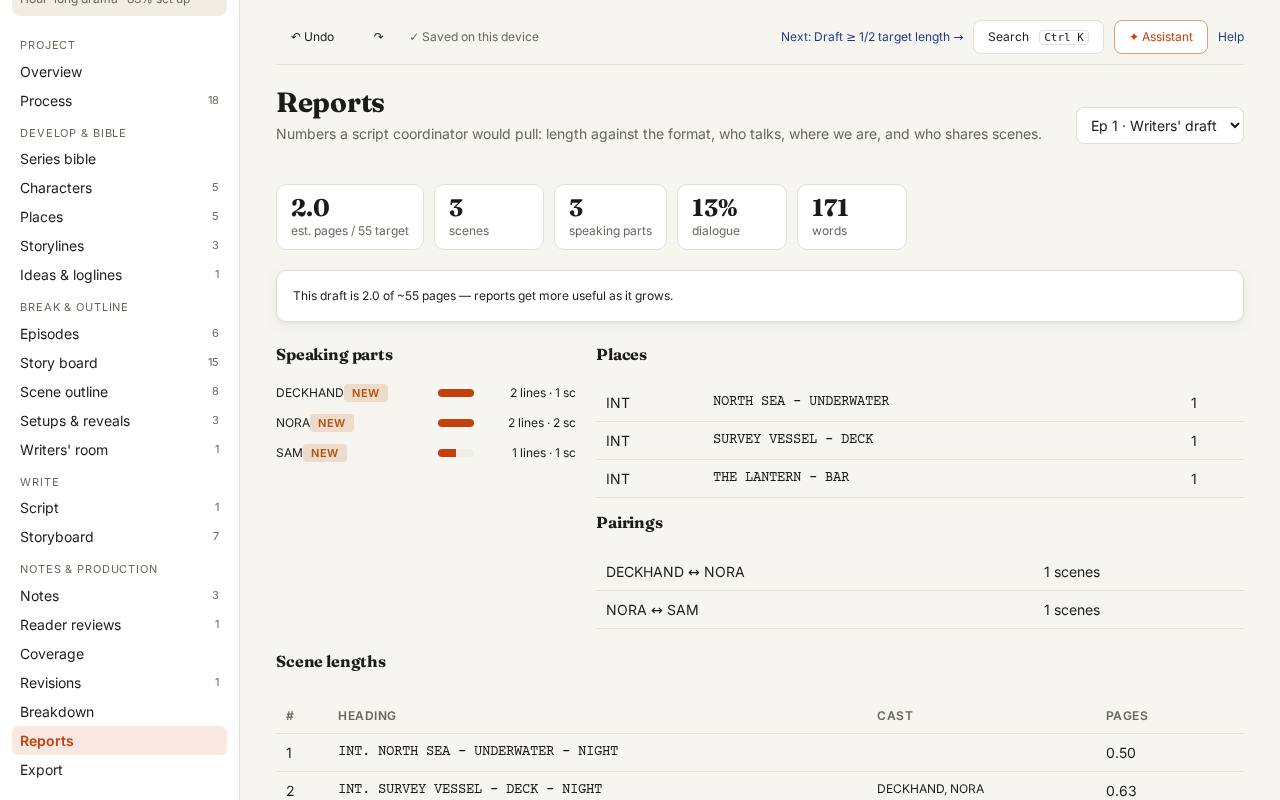
Reports: pick an episode to check balance: pages, scenes, who speaks how much, and scene lengths.