Series bible
The bible is the project, so it's never out of date.
Logline, genre, tone, theme, series engine, comps and world rules sit next to your characters, places and episode list. Export it as Markdown whenever you pitch or bring on new staff; it's built from the same data you write with.
What it does
- Logline, genre, tone, theme, series engine, comparable shows and world rules in one place
- Pulls characters, places and the episode list from the rest of the project
- Ideas & loglines: keep alternatives, park them, and bring back cut material
- Exports as a Markdown bible (Export → Series bible)
How to use it
- Start with the guided setup, or fill in Series bible later
- Keep alternate loglines under Ideas & loglines
- Export → Series bible (Markdown) when you need to share it
Step by step
Screenshots of the app, on the sample series. Click one to see it full size.
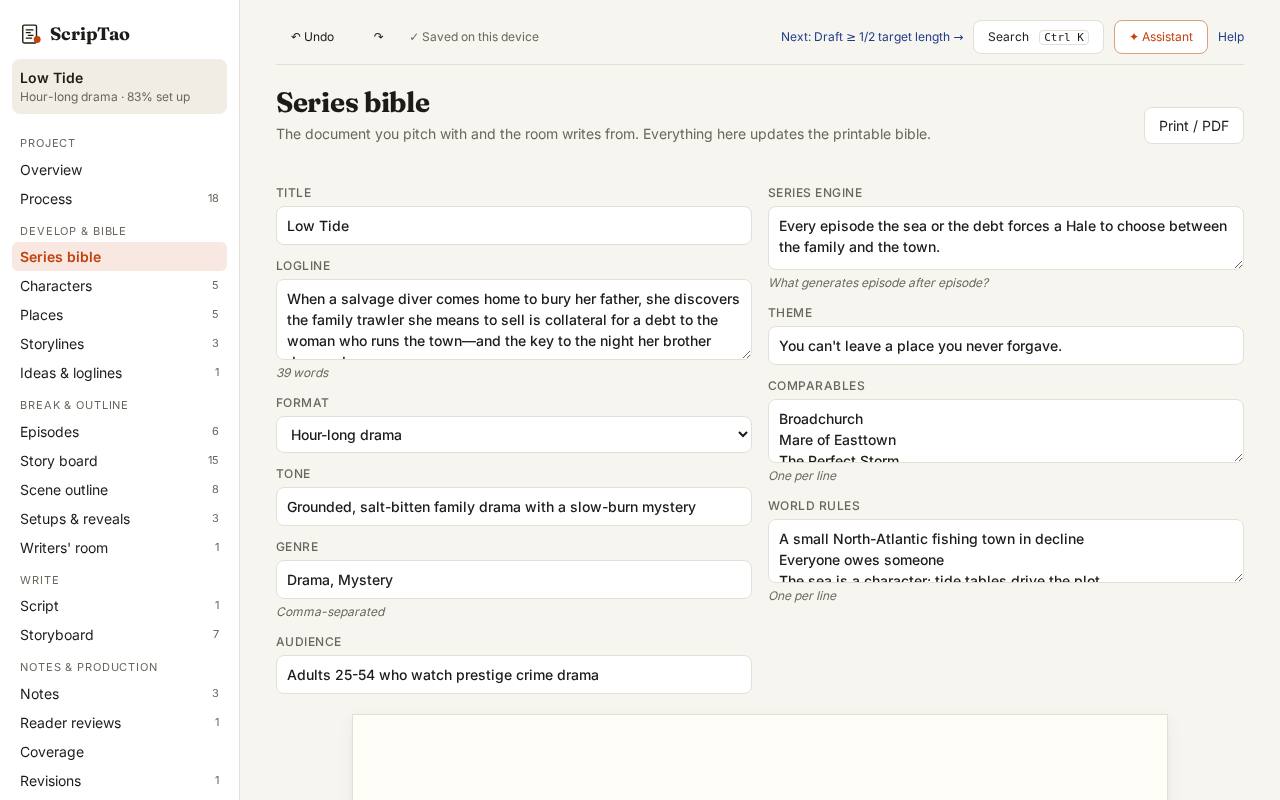
Series bible holds the logline, genre, tone, theme, series engine, comps and world rules. Fill in what you know; the preview on the right is the bible you'll share. 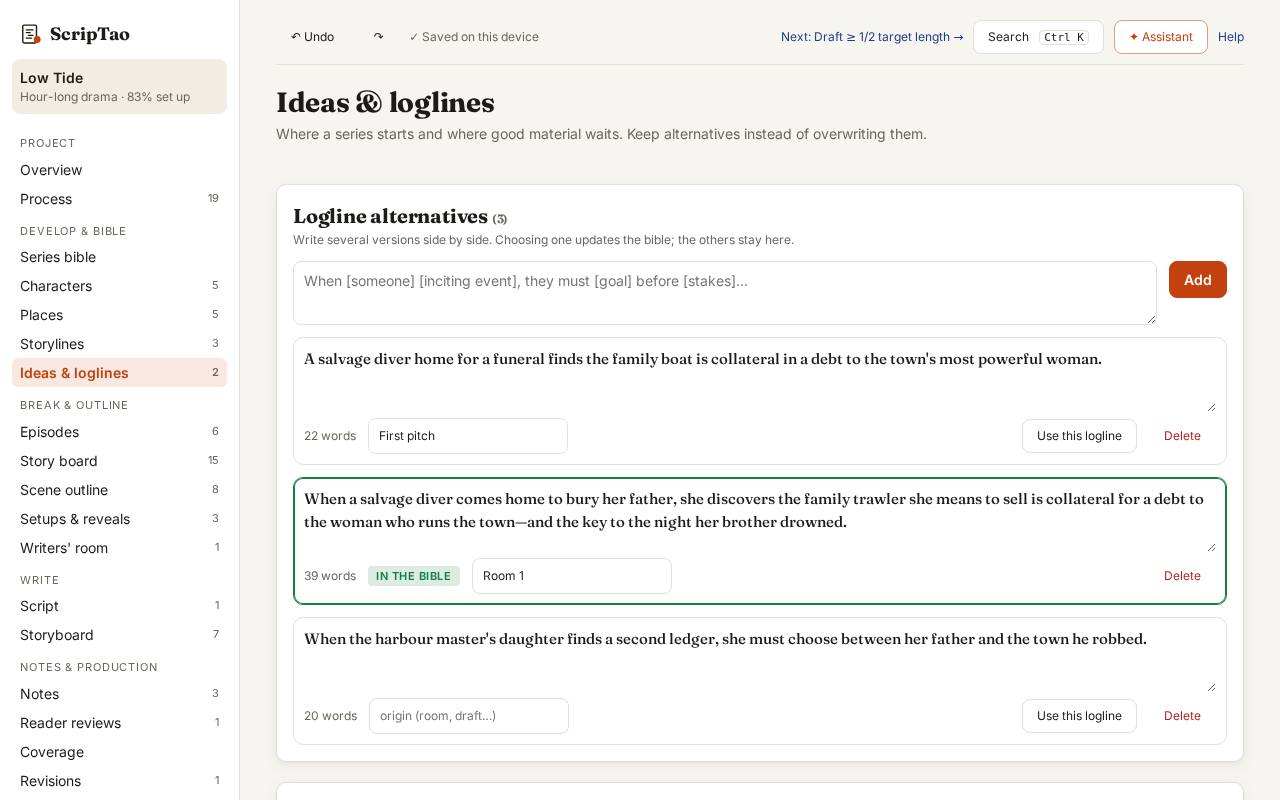
Ideas & loglines keeps alternative loglines side by side. Choosing one updates the bible; the others stay here, with the idea inbox and cut material. 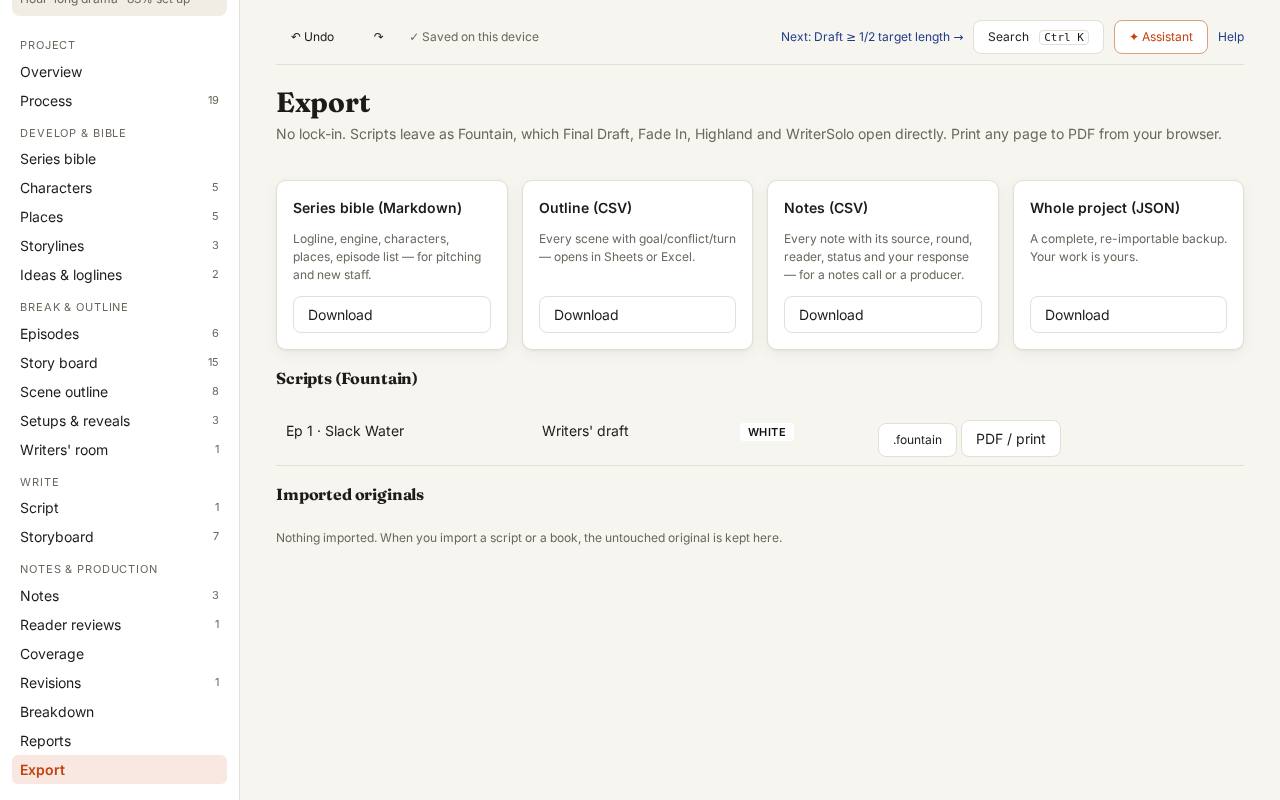
Export → Series bible downloads it as Markdown, built from the same characters, places and episodes you write with.