Reader reviews & coverage
Send a frozen copy with a brief. Keep writing.
Send a reader the exact version you want read, with a brief of questions. You keep writing, and their notes come back tied to that version. Their notes stay out of your notes list until the reader sends them back, so an unfinished read never leaks into your working notes. Write your own coverage with a reverse outline, ratings and a verdict.
What it does
- A review freezes a copy of the draft, with the reader's name, role and your brief
- Reader notes stay hidden from you until the reader returns them
- Withdrawing a review before it's returned keeps its notes private
- Coverage: logline, synopsis, strengths, concerns, ratings, pass / consider / recommend, and a note per scene (reverse outline)
How to use it
- Reader reviews → pick a draft, name the reader, write a brief
- Open the reader view to read and note
- Return the notes, then answer them in Notes
Step by step
Screenshots of the app, on the sample series. Click one to see it full size.
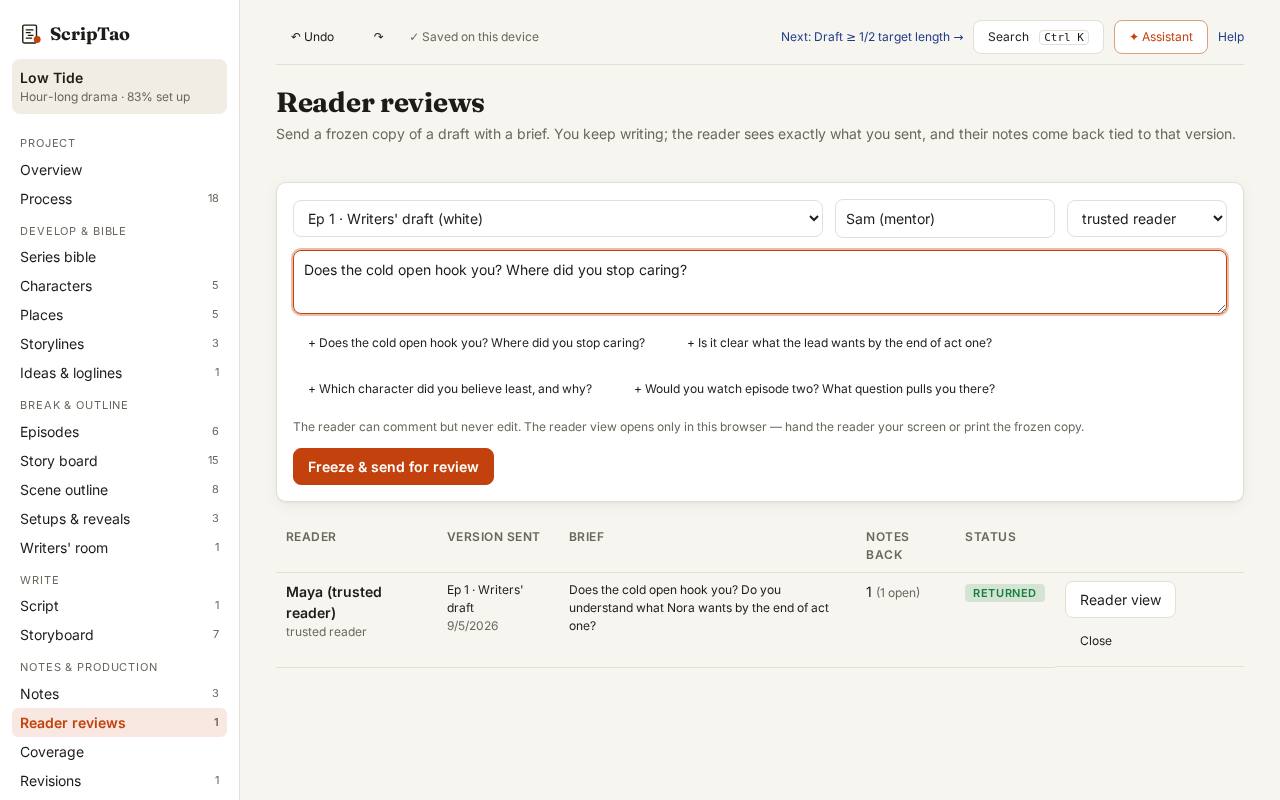
Reader reviews: pick a draft, name the reader and write a brief with the questions you want answered. 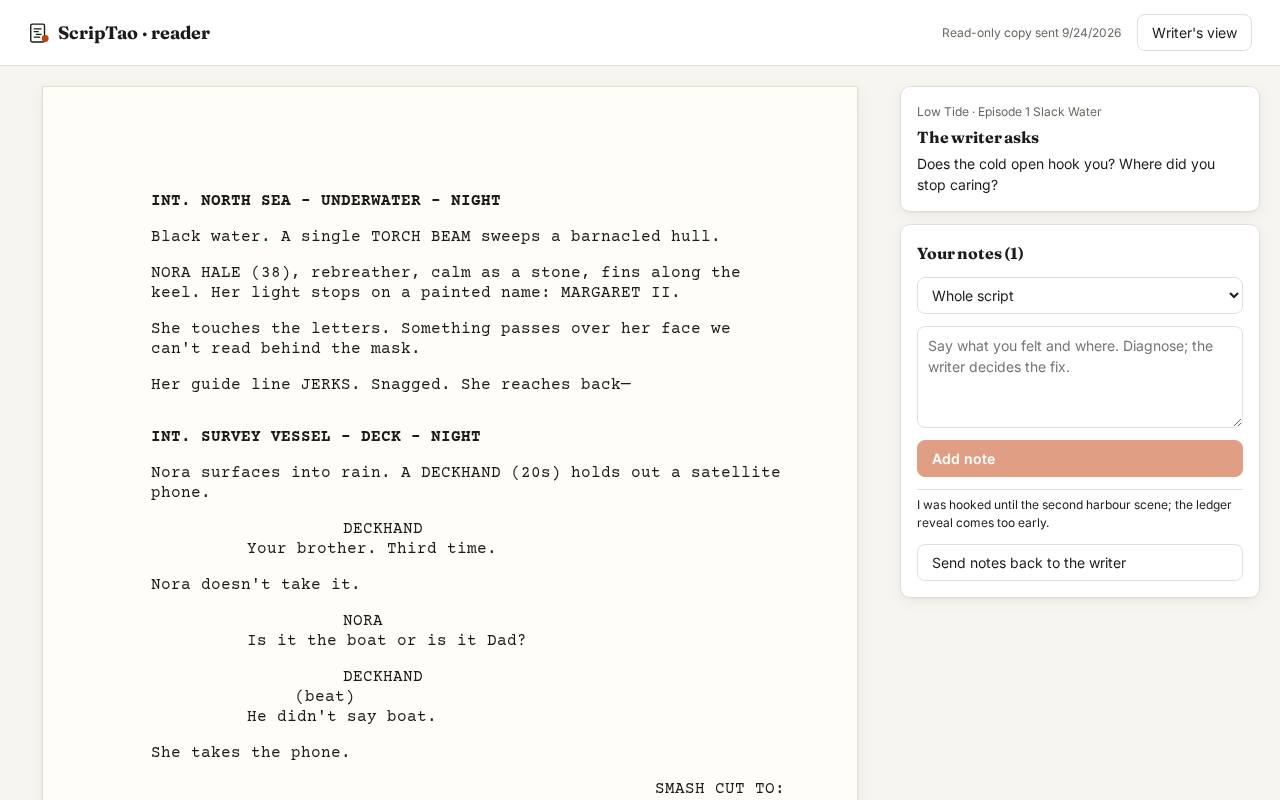
The reader view: the frozen draft, read-only, with a notes box. In this version it opens in this browser. 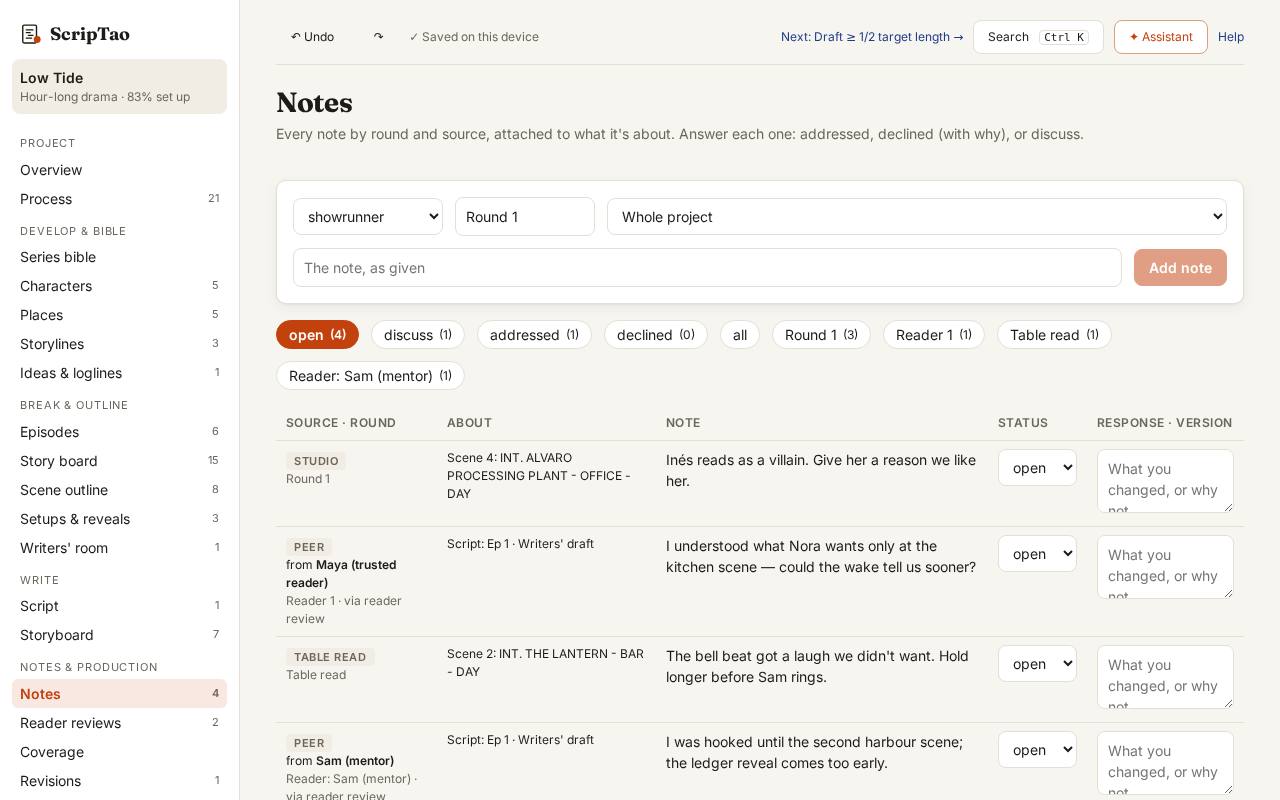
Returned notes land in Notes, tagged with the reader and the draft they read, ready to answer.
What it doesn't do yet
- Without an account, the reader view opens in this browser only, so it isn't a private link. Private reading links for someone on another computer come with accounts.