Screenplay editor
Plain-text Fountain in, industry-format pages out.
Write in Fountain, the plain-text screenplay format, and watch a correctly formatted page build beside you. Scene headings, cues, parentheticals, transitions and dual dialogue are all handled; print to PDF on Letter pages.
What it does
- Fountain editor with a live formatted page
- Scene headings, action, character cues, parentheticals, dialogue, transitions, sections, synopses, notes and page breaks
- Dual dialogue (^) side by side, in the preview and in print
- Print / save as PDF in screenplay layout
- Search every script line with Ctrl K
How to use it
- Script → pick the episode's draft
- Type Fountain on the left; read the page on the right
- Export → PDF / print when you need pages
Step by step
Screenshots of the app, on the sample series. Click one to see it full size.
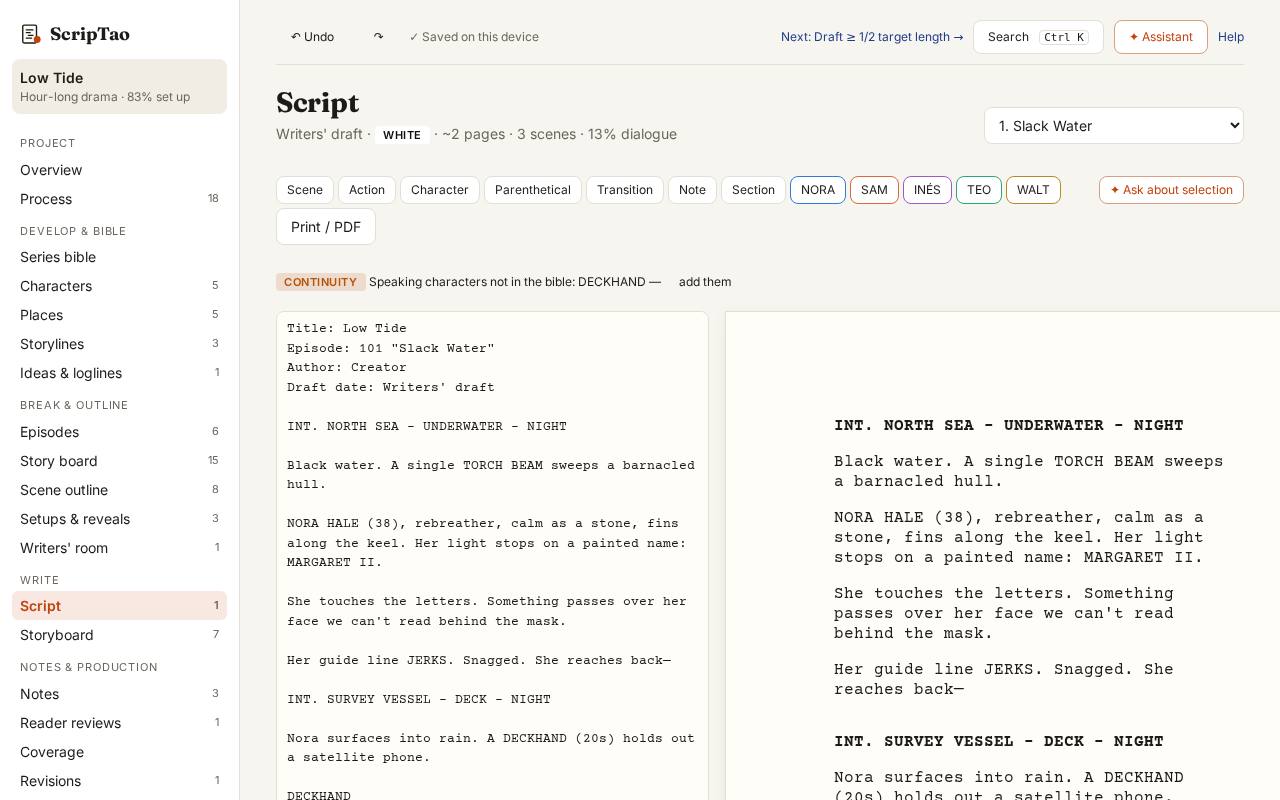
Script: the episode's draft, Fountain text on the left and the formatted page on the right. 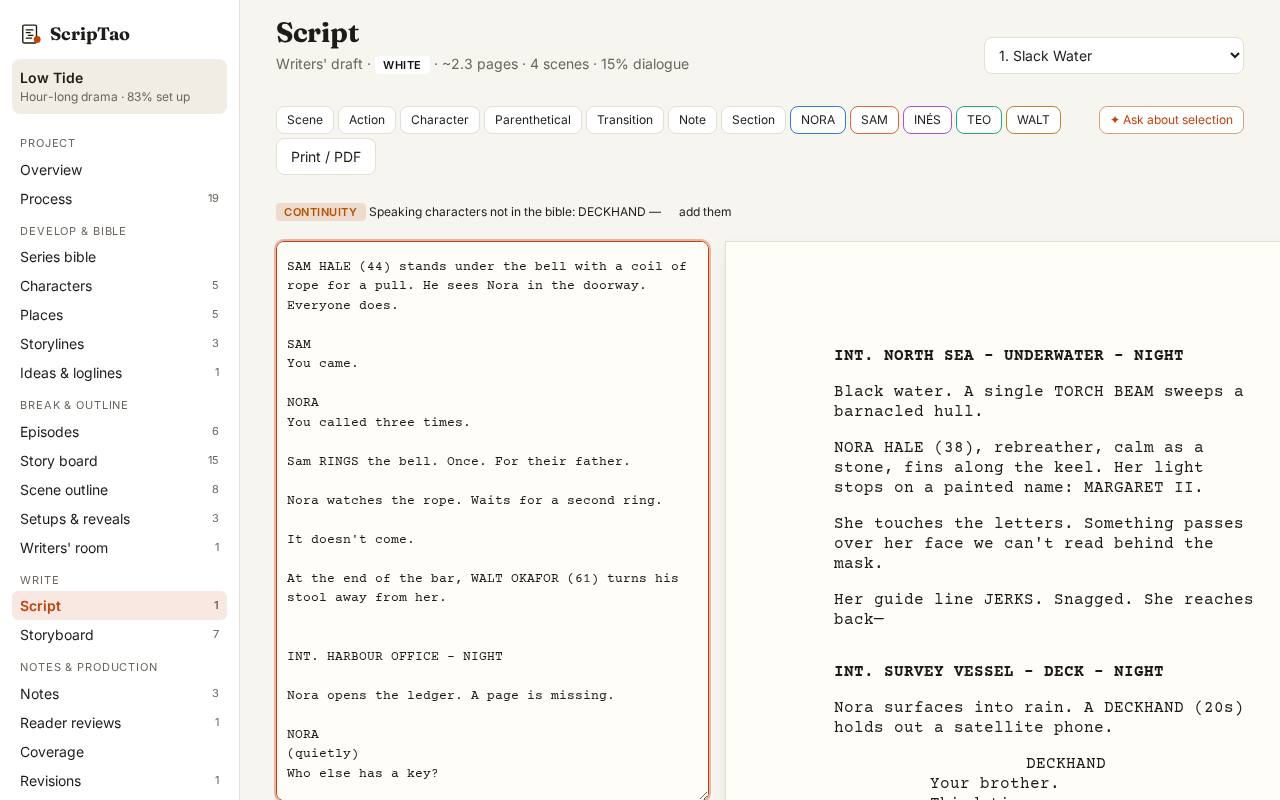
Type plain Fountain: a scene heading, action, a character name, dialogue. The page updates as you type and saves in this browser. 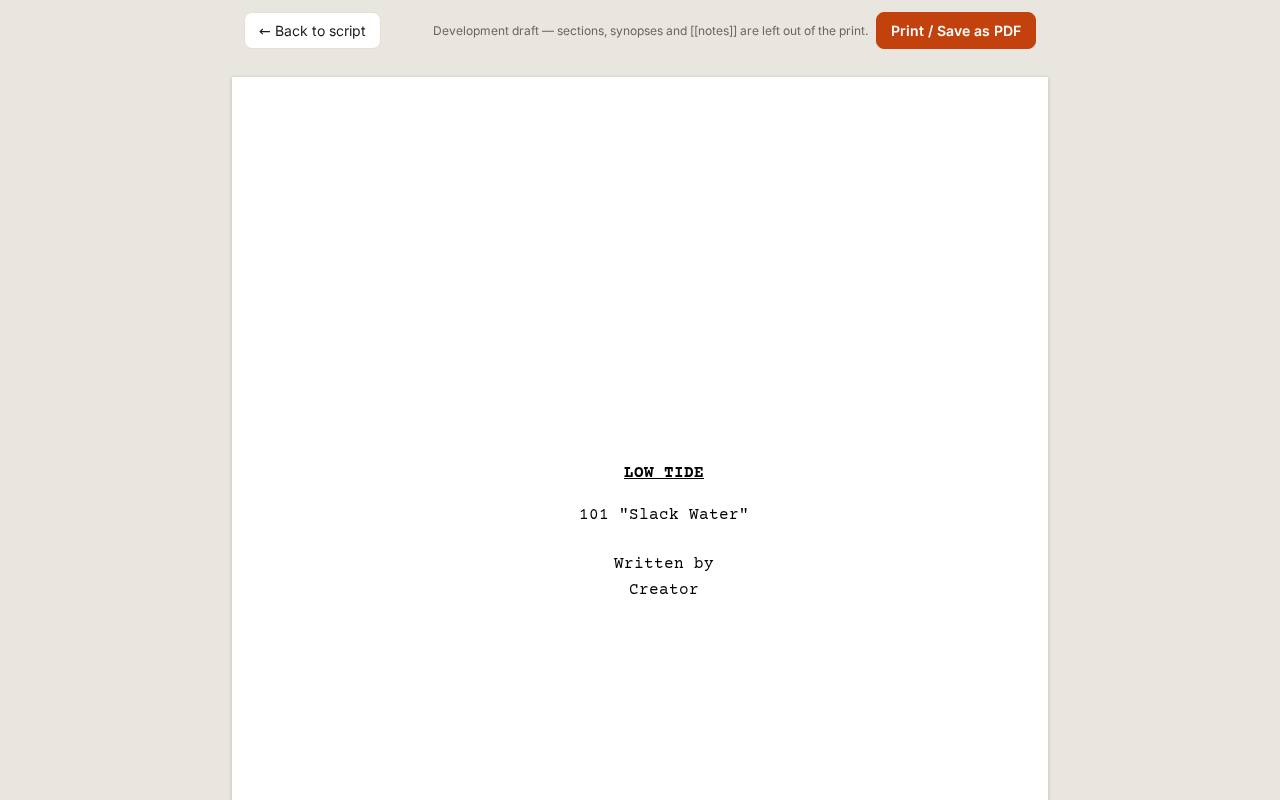
Print / PDF lays the draft out as industry pages with a title page; print it or save it as a PDF.
What it doesn't do yet
- Production page-locking with A-pages. Locking a draft today freezes that version.