Notes & revision colours
Every note knows which draft it was given on and which draft answered it.
Log notes by round and by source (yourself, a peer, the showrunner, a producer, the studio, the network, a table read). Each note keeps the draft it was given on. When you answer it, it records the draft that did. Drafts move through industry revision colours, and any version can be compared, locked or restored as a new draft.
What it does
- Notes by round and source, on the project, an episode, a scene, a character or a draft
- Mark each note open, to discuss, addressed or declined, with your response
- Drafts in revision colours: white → blue → pink → yellow → green → goldenrod …
- Show changes between drafts; lock a draft; restore an older one as a new version (nothing is overwritten)
- Undo and redo (Ctrl Z / Ctrl Shift Z)
How to use it
- Notes → add a note, or bring back a reader's notes
- Answer each note and pick the draft that addresses it
- Revisions → New revision when a round is done
Step by step
Screenshots of the app, on the sample series. Click one to see it full size.
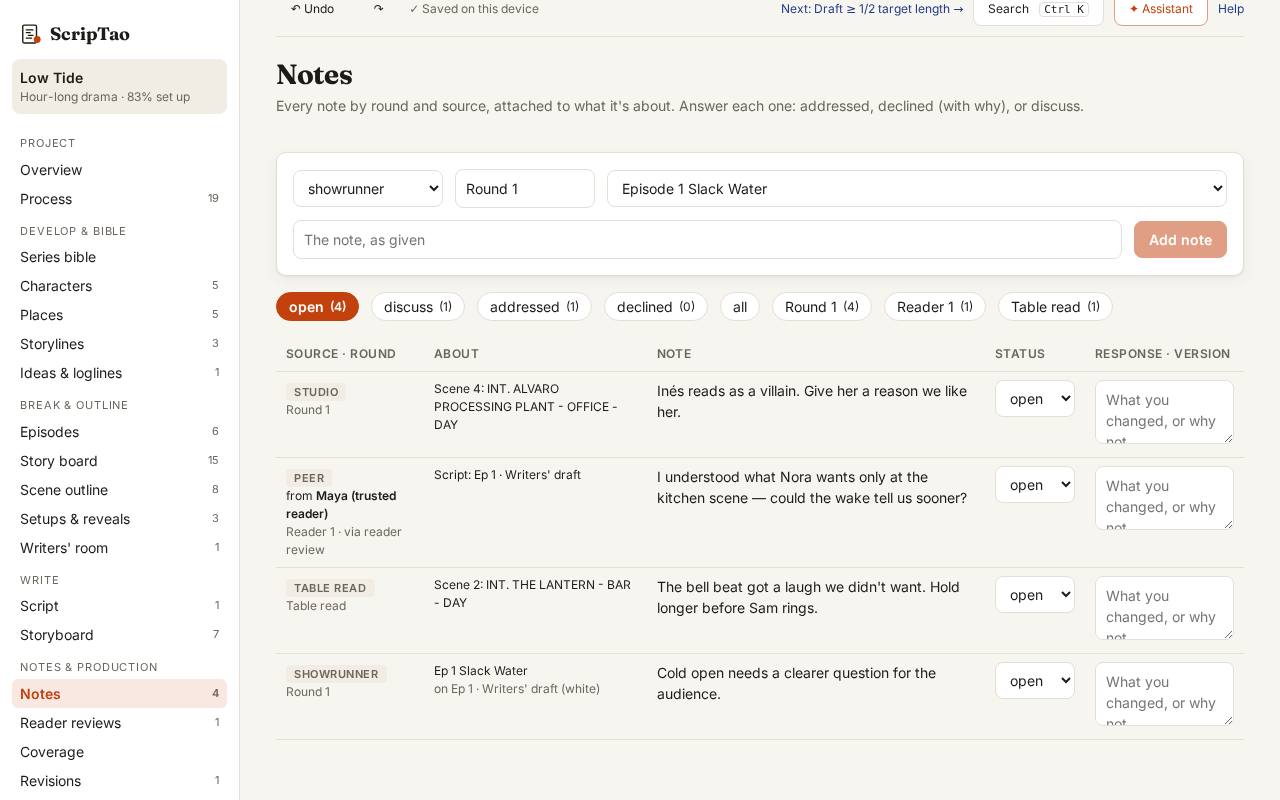
Notes: add a note (or bring back a reader's); each one remembers the draft it was given on. 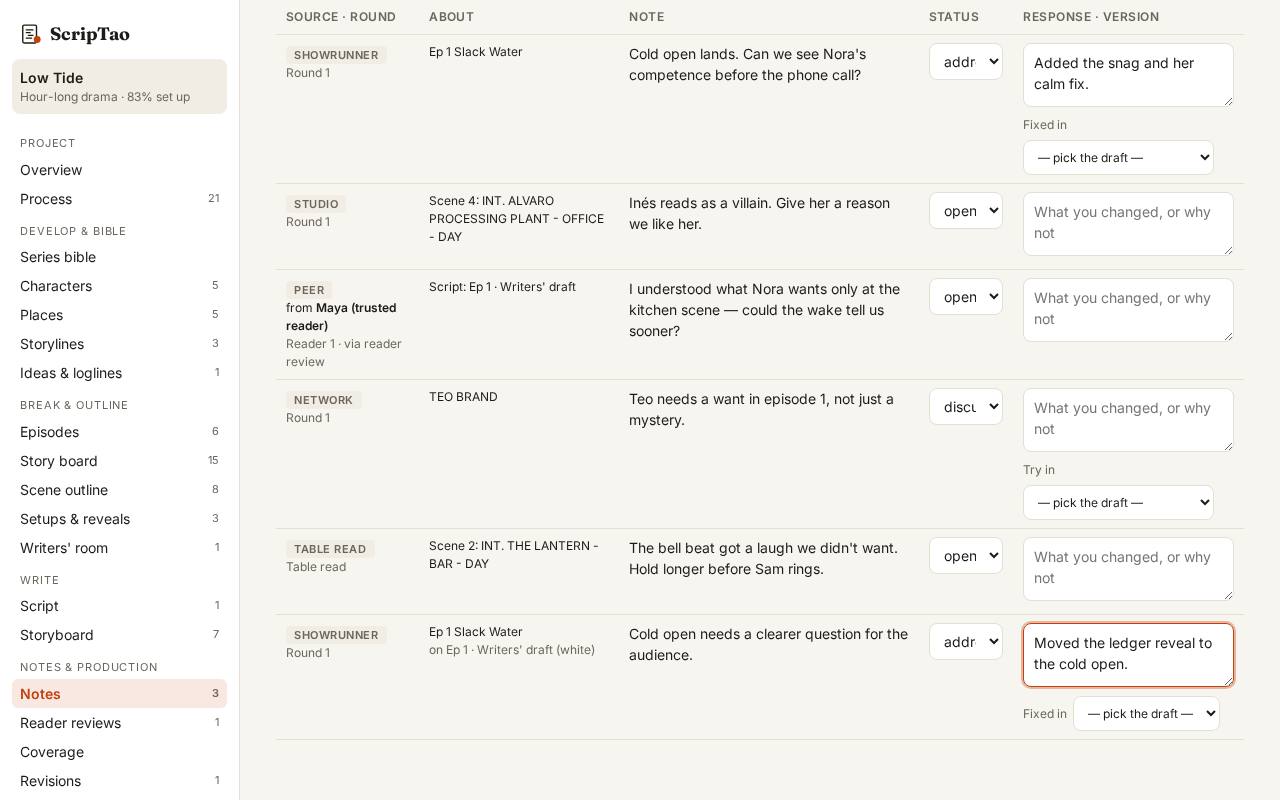
Answer each note and pick the draft that addresses it, so nothing gets lost between rounds. 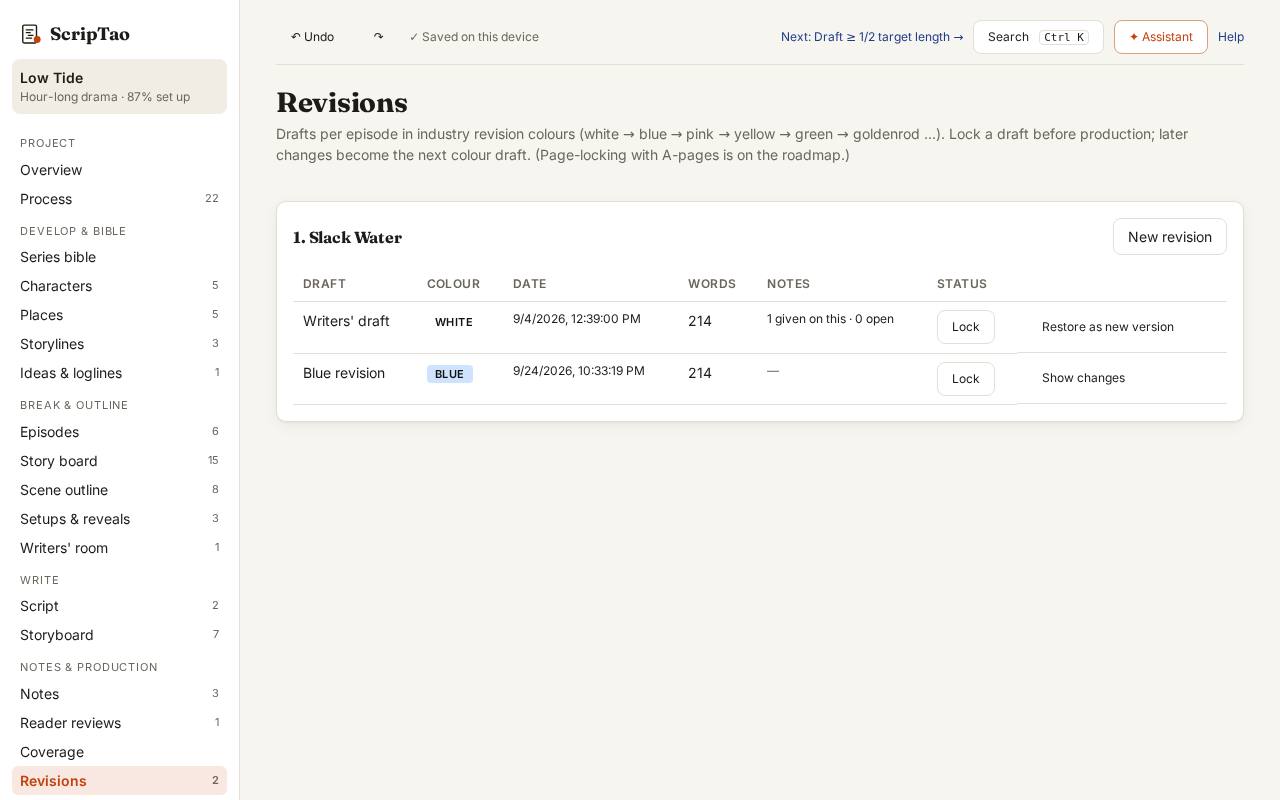
Revisions → New revision starts the next colour (blue, pink, yellow…). Show changes marks what moved; lock freezes a version.
What it doesn't do yet
- Page-locking with A-pages and asterisked changes.