Process & progress
See how your project actually moved.
The Overview tracks eight stages (develop, bible, break, outline, draft, revise, visualize, prep) and suggests your next step. Nothing is gated. The Process page shows where you looped back and where the work went, from a log of what changed. The log never holds your text.
What it does
- Eight-stage checklist with a suggested next step
- An activity log of what changed and when; it records what kind of change it was, not the words
- Undone and redone changes stay in the history
How to use it
- Overview → Where you are
- Process → the timeline
Step by step
Screenshots of the app, on the sample series. Click one to see it full size.
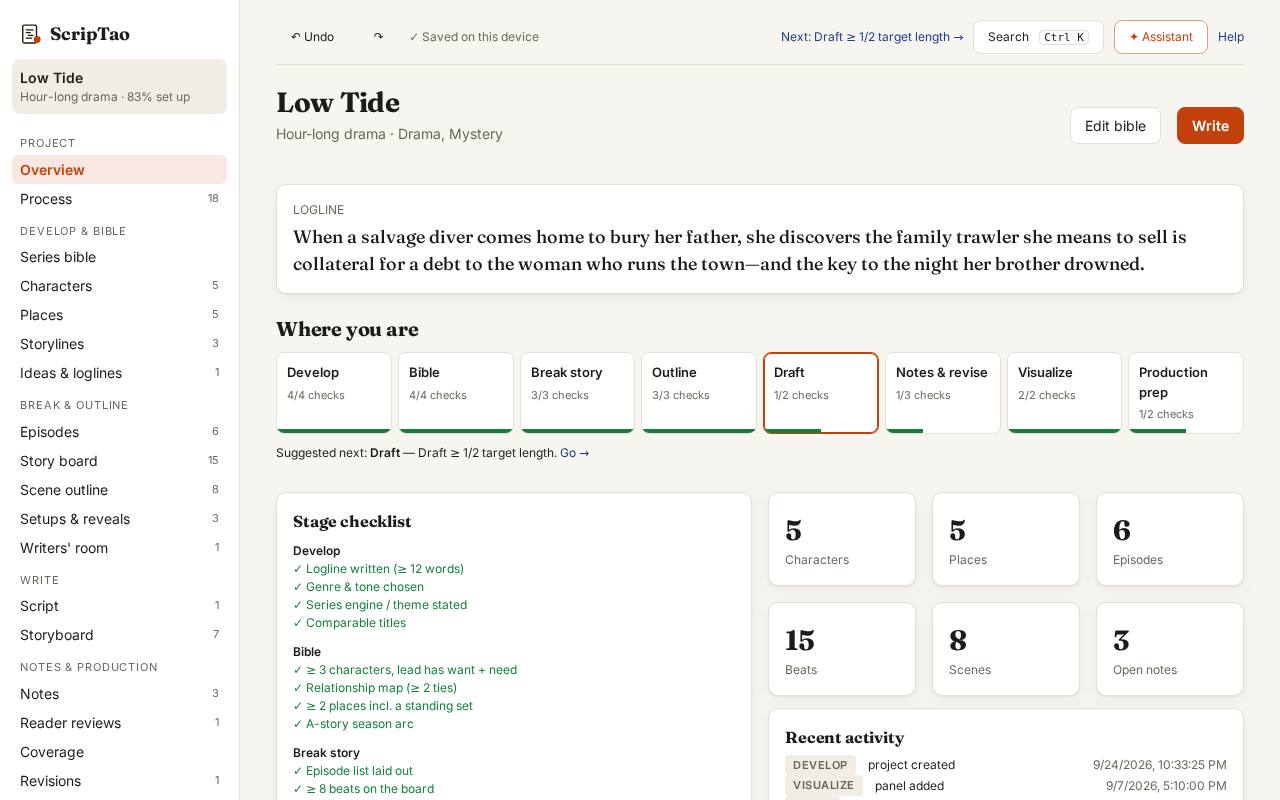
Overview → Where you are: each stage of the series and the next thing to do. 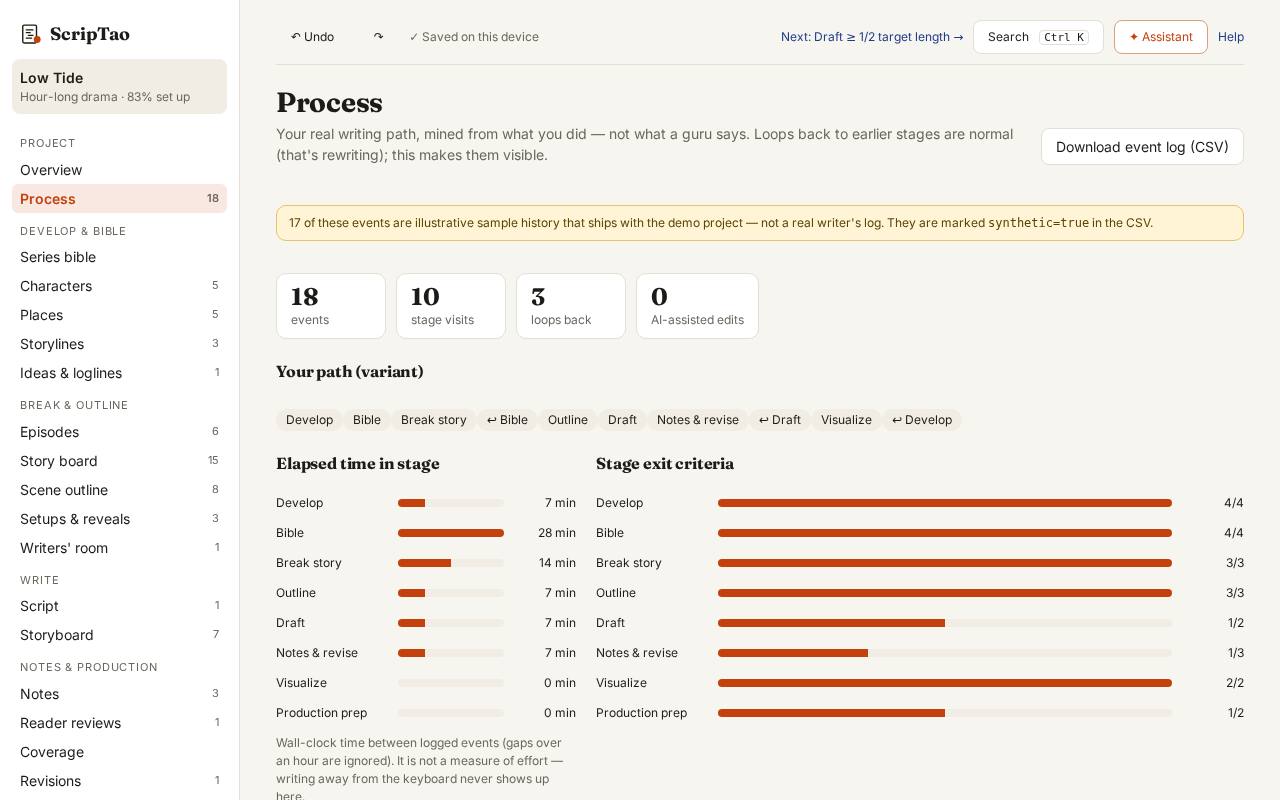
Process: the timeline of how the project moved from idea to pages, from what you did in the app. 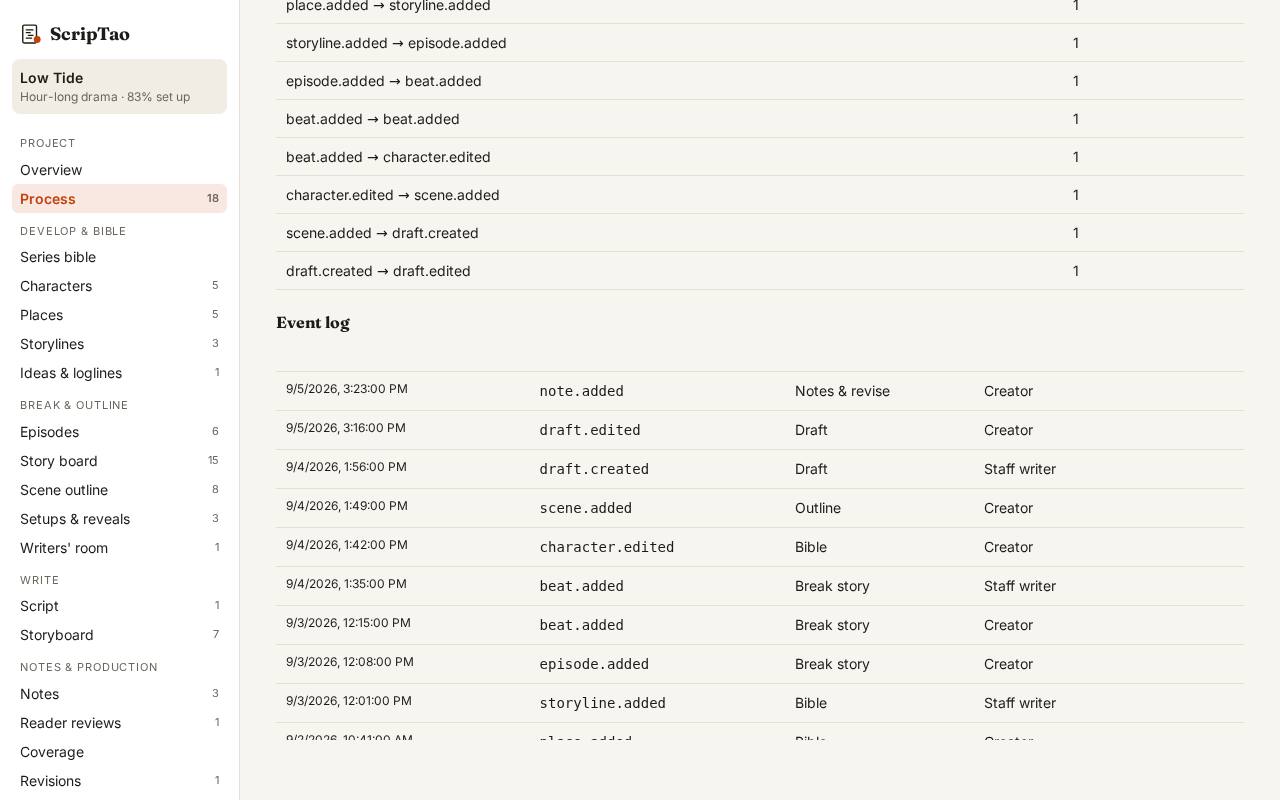
Every step is on record in the event log; exports are logged by file kind, never with your text.