Scene outline
Every scene needs a goal, a conflict and a turn.
Each scene has a heading, a place, a cast, a summary, a goal, a conflict and a turn. Scenes missing any of them are flagged before you write them, which is when a flat scene is cheapest to fix.
What it does
- Heading, place, cast, summary, goal, conflict, turn and estimated pages per scene
- Flags scenes with no goal, no conflict, no turn, no place or no cast
- Reorder scenes with Up / Down
- Exports as a CSV (Export → Outline)
How to use it
- Scene outline → pick an episode
- Add scene, then fill goal / conflict / turn
- Fix anything flagged before drafting
Step by step
Screenshots of the app, on the sample series. Click one to see it full size.
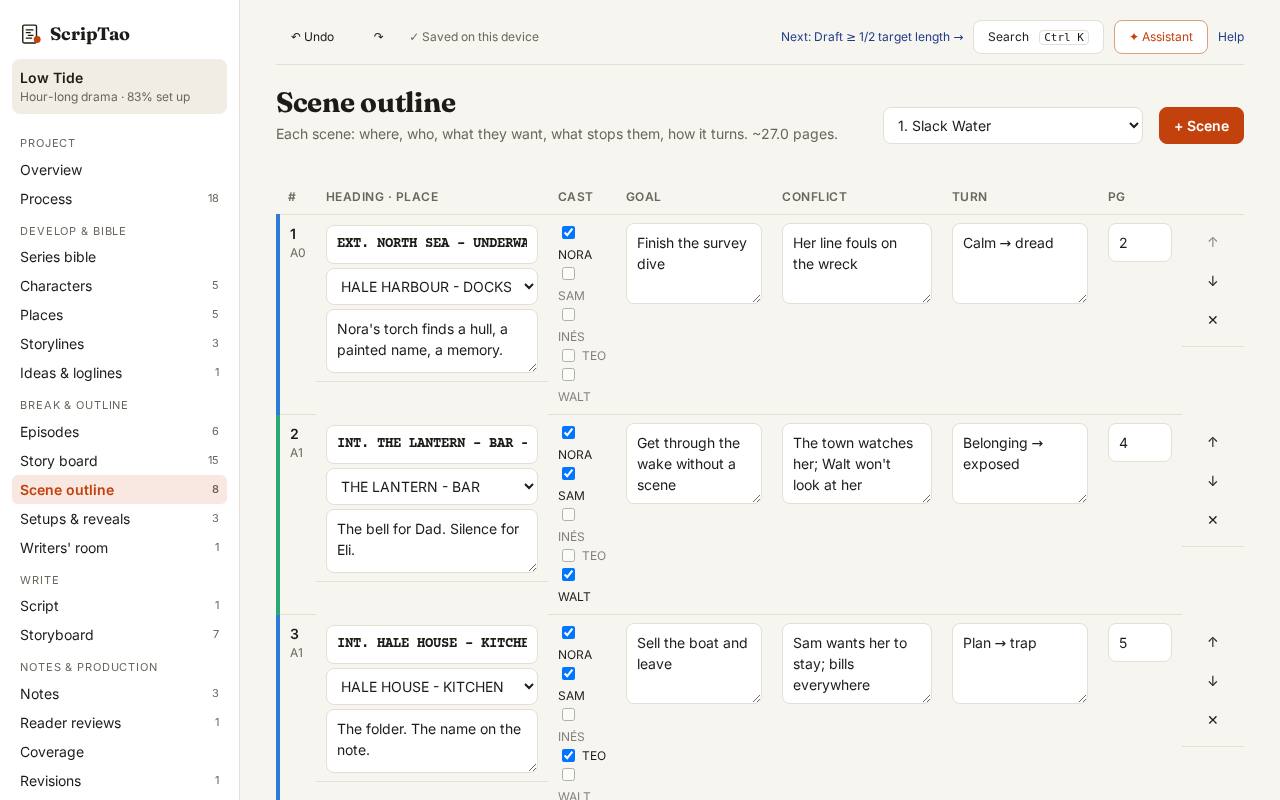
Scene outline: pick an episode, and every scene is a row with its heading, goal, conflict, turn, place and cast. 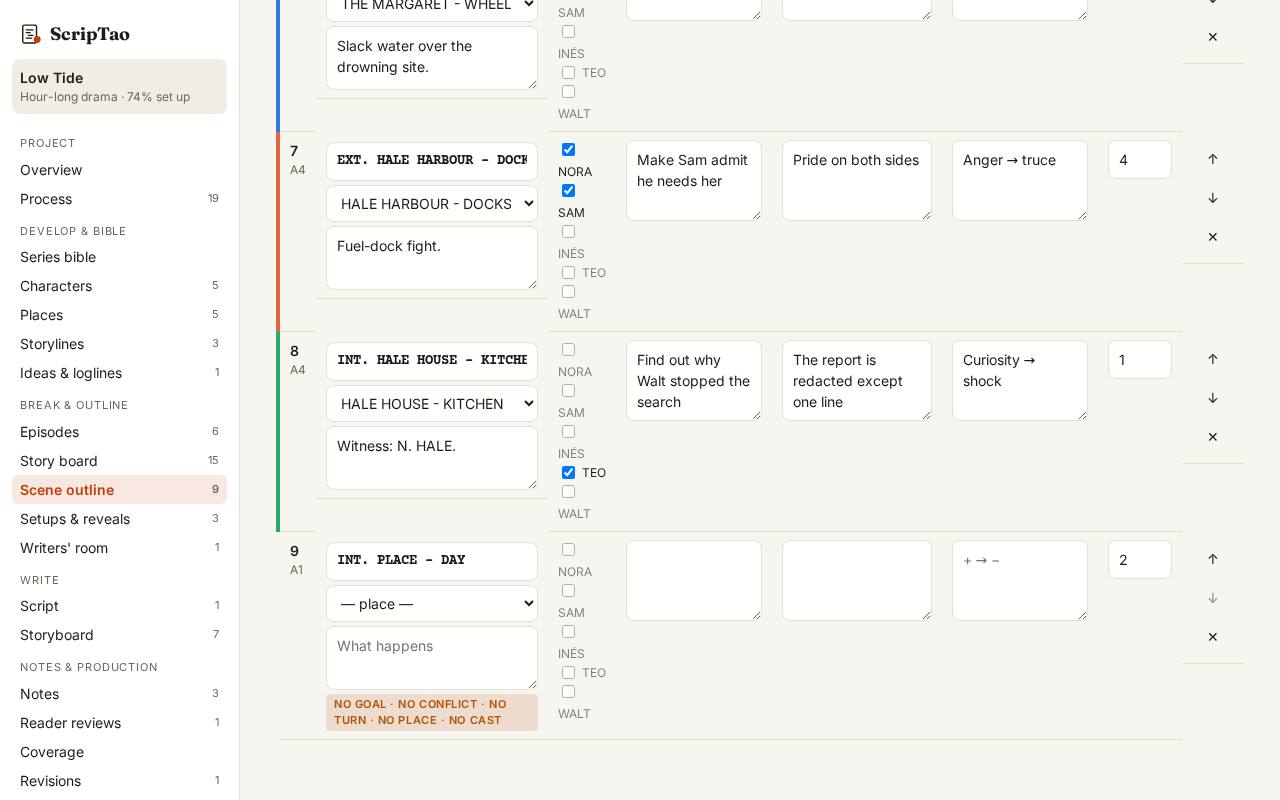
Add scene: a new scene is flagged until it has a goal, a conflict, a turn, a place and cast. 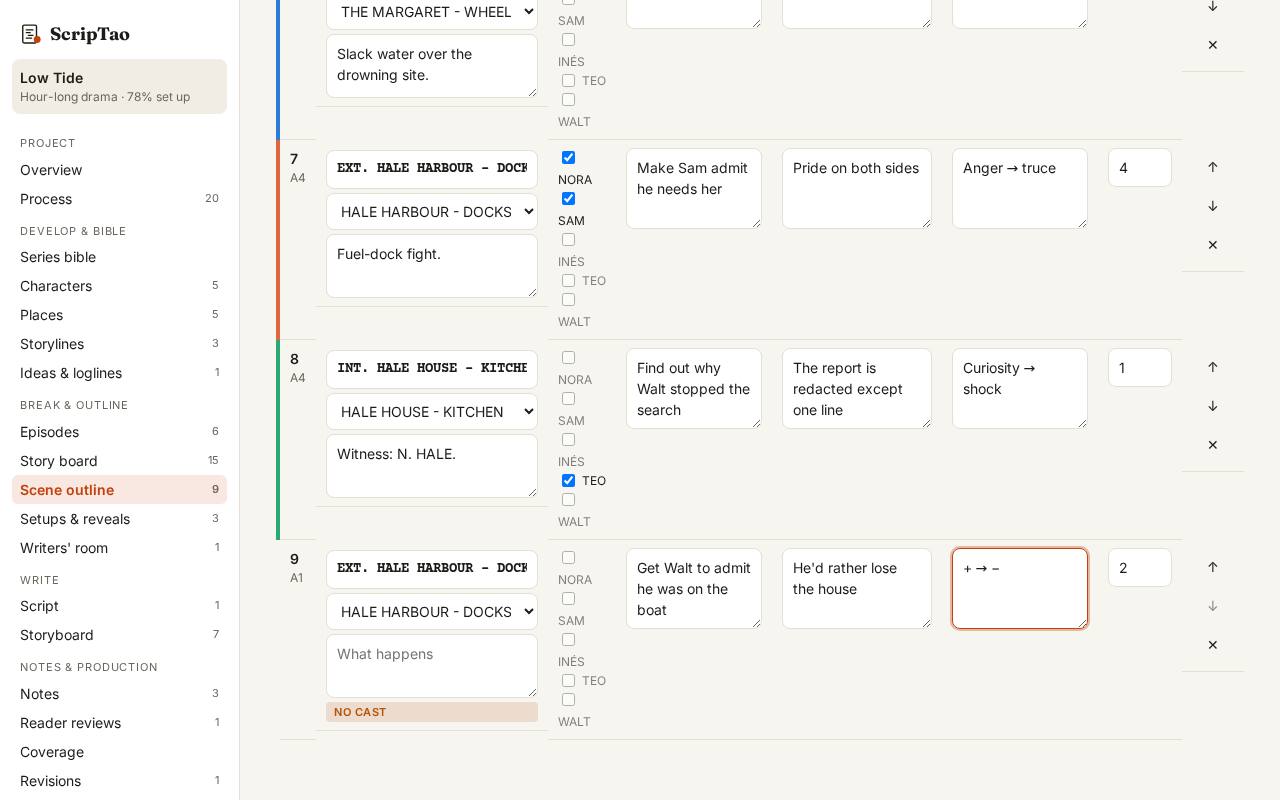
Fill goal / conflict / turn and pick a place; the flags clear one by one, so you know what's missing before you draft.