Storylines (A / B / C)
See each story's thread through the season.
Name your A, B and C stories, give each a colour, and tie characters to them. The board and outline use the colours, so an episode's balance is visible at a glance.
What it does
- Named storylines (season arcs, episode stories or runners) with colours and their characters
- Board cards take the storyline colour
- Filter the board to follow one storyline across episodes
How to use it
- Storylines → add A, B, C
- Pick a storyline on each beat
Step by step
Screenshots of the app, on the sample series. Click one to see it full size.
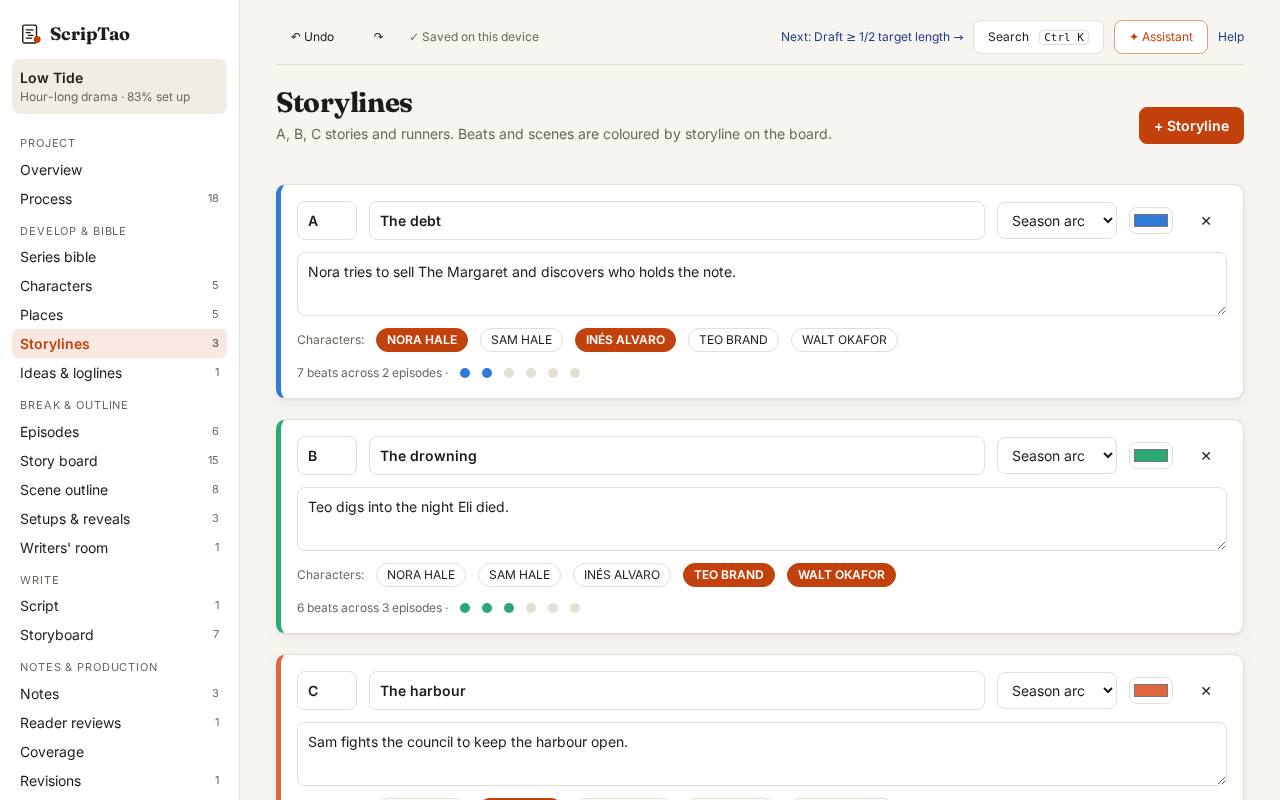
Storylines lists the A, B and C stories and runners, with how many beats each has and the episodes they touch. 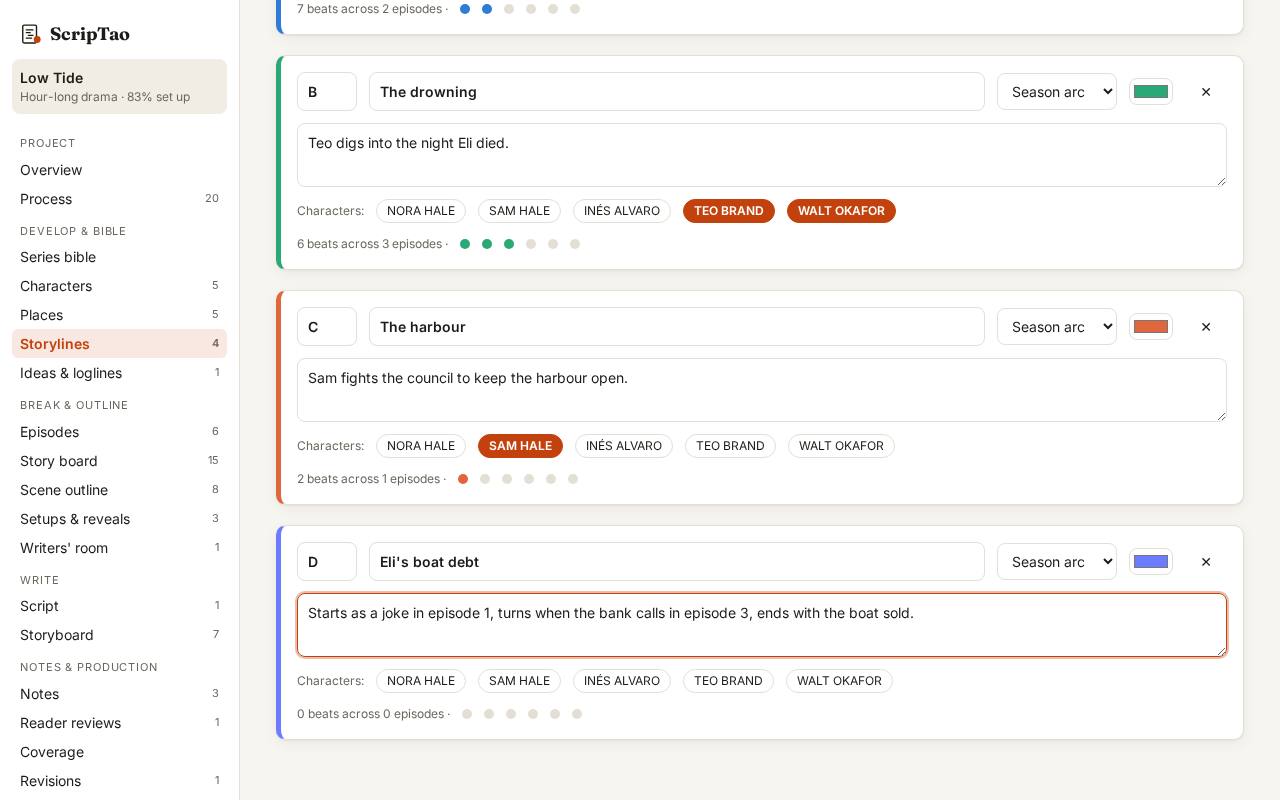
+ Storyline adds the next letter. Name it, say where it starts, turns and ends, and tag its characters. 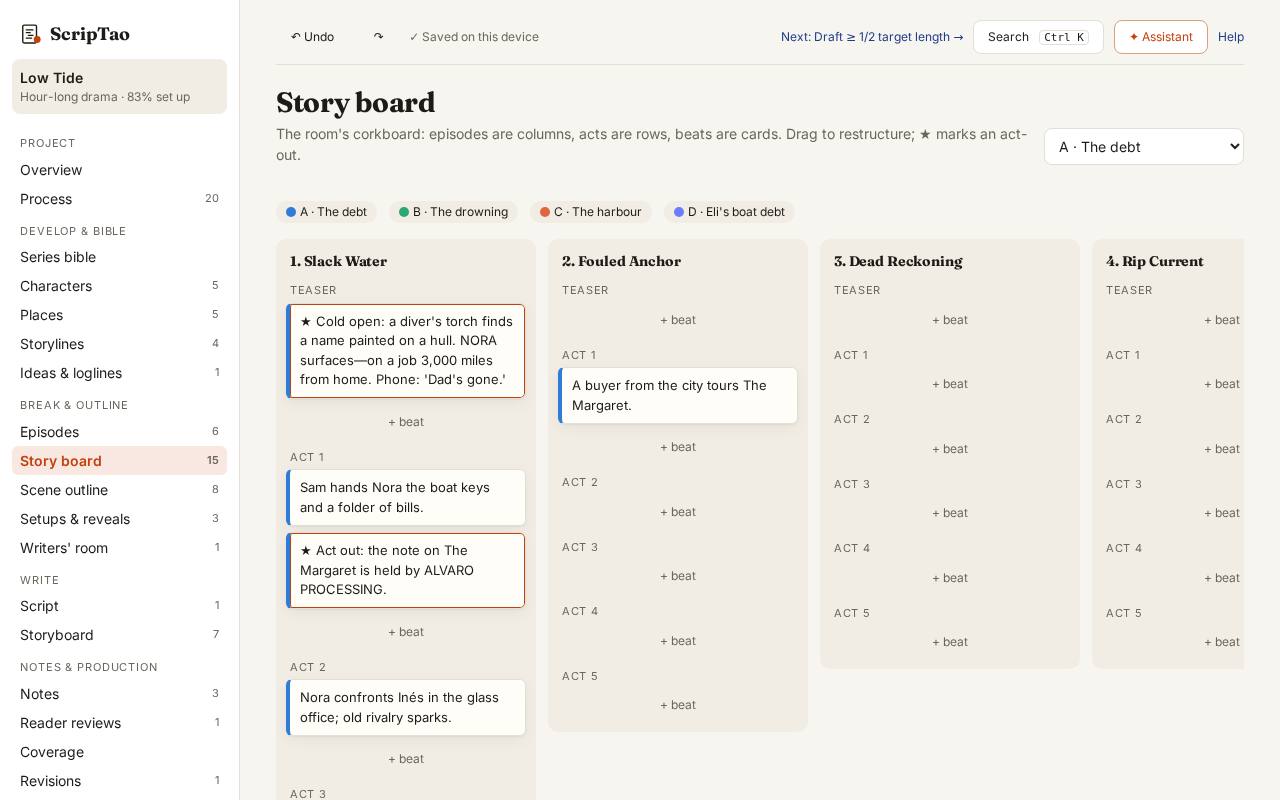
On the board, pick a storyline on each beat; the filter shows one storyline across the season.